
What Captn does
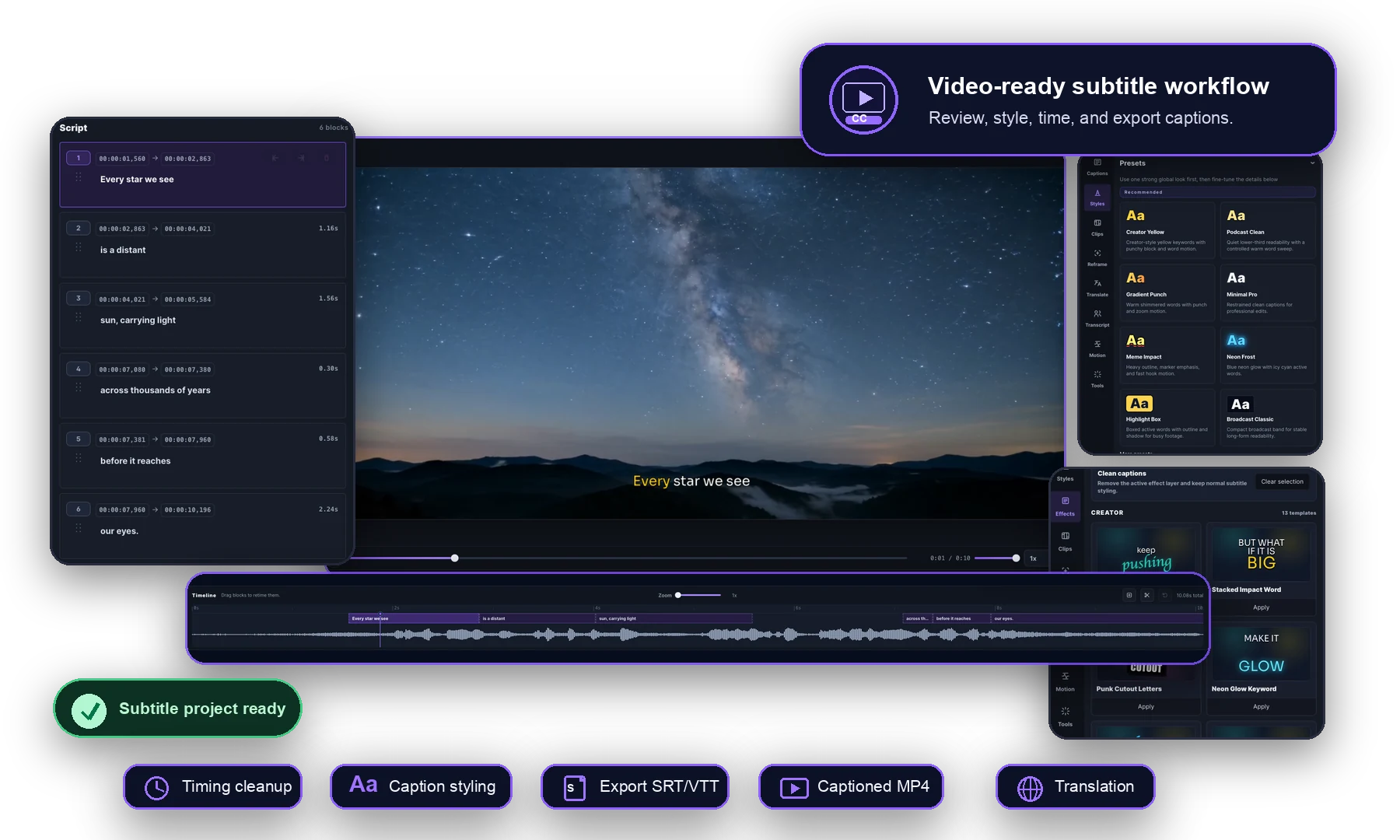
Captn is an online subtitle editor for generating, editing, translating, exporting, and burning captions into videos.
A typical Captn project starts with a video, screen recording, SRT file or VTT file. From there, you can generate captions, edit the transcript, fix subtitle timing, style the visual caption layer, translate subtitle versions and export the result.
- Generate editable subtitles from speech.
- Import existing SRT or VTT captions.
- Edit caption text, timing, line breaks and block splits.
- Style captions for readable burned-in video.
- Export SRT, VTT, captioned MP4, clips, translated subtitles or green-screen captions.
Who Captn is for
Captn fits people who already have video and need the subtitle layer finished cleanly. That includes podcast clips, YouTube videos, course lessons, client review files, training videos, web player captions and short social exports.
The common thread is that captions need to be reviewed, reused or rendered into video instead of treated as a disposable auto-caption draft.
When Captn is not the right tool
Captn is not meant to replace a full creative editor when the video still needs transitions, heavy compositing, motion graphics, stock asset design, music editing or mobile-first social templates.
Use a broader video editor for those production tasks, then use Captn when the caption layer needs focused cleanup, translation, export files or burned-in delivery.