Upload or record
Start with a video, screen recording or imported media file.
 Captn
Captn
SUBTITLE GENERATOR
Upload a video or screen recording, generate editable subtitles, clean up text and timing, then export SRT, VTT, or a captioned MP4.
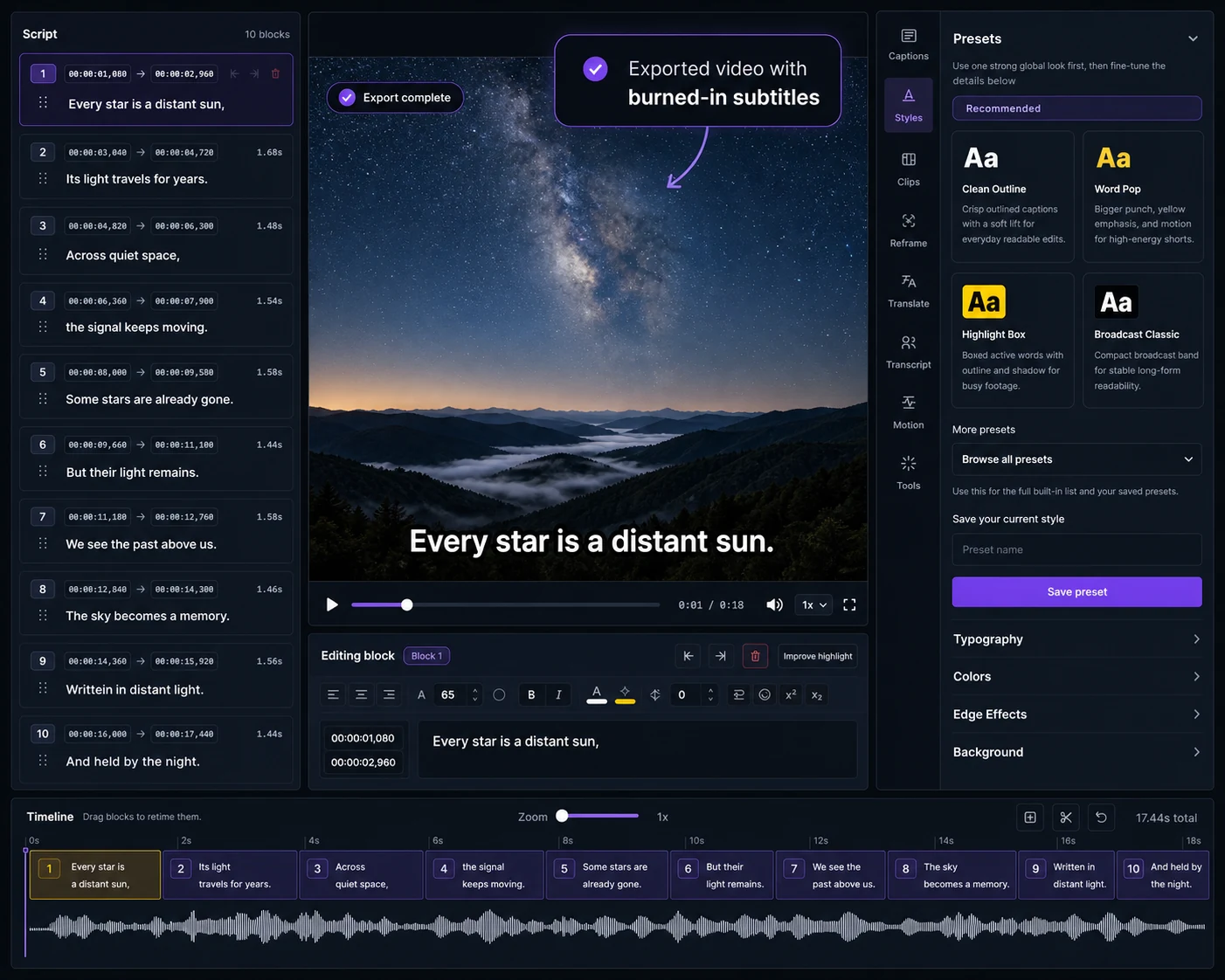
How it works
Start with a video, let Captn create timed subtitle blocks, then review the transcript, timing and style before you publish.
Start with a video, screen recording or imported media file.
Select the spoken language so Captn can generate a cleaner first draft.
Create timed subtitle blocks from the spoken audio.
Correct words, line breaks, timing and highlights while watching the video.
Download SRT, VTT or captioned video when the subtitles are ready.
Not just first-pass captions
Automatic captions are a starting point. Captn lets you review the transcript, fix timing, adjust line breaks, preview styling and export real deliverables from the same project.
Start GeneratingSRT and VTT files
Captn turns speech into timed captions you can review before download, so the SRT or VTT file is clean enough to upload, archive, or hand off.
Use SRT when you need a widely supported subtitle file for YouTube, course platforms, editors, or client delivery.
Use VTT or WebVTT for browser players, replay pages, training libraries, and web-based caption tracks.
Clean up wording, line breaks, and timing before you export, instead of shipping a raw automatic transcript.
Already have a subtitle file? Add an existing SRT or VTT to video. Need WebVTT specifically? Create a VTT file online. Need to clean up timing before export? Want more control? Use the online subtitle editor.
Export options
Once the generated subtitles are reviewed, export the version your platform or client needs: subtitle files, captioned video or reusable project files.
Download reviewed subtitles as SRT or VTT when the platform accepts a separate caption track.
Export a video with captions rendered in when viewers need the text visible by default.
Keep the edited subtitle project available for later timing fixes, style changes, clips, or new exports.
Caption styling
Generated subtitles are only useful if they are readable. Adjust fonts, placement, colors, highlights and background before exporting the final video.
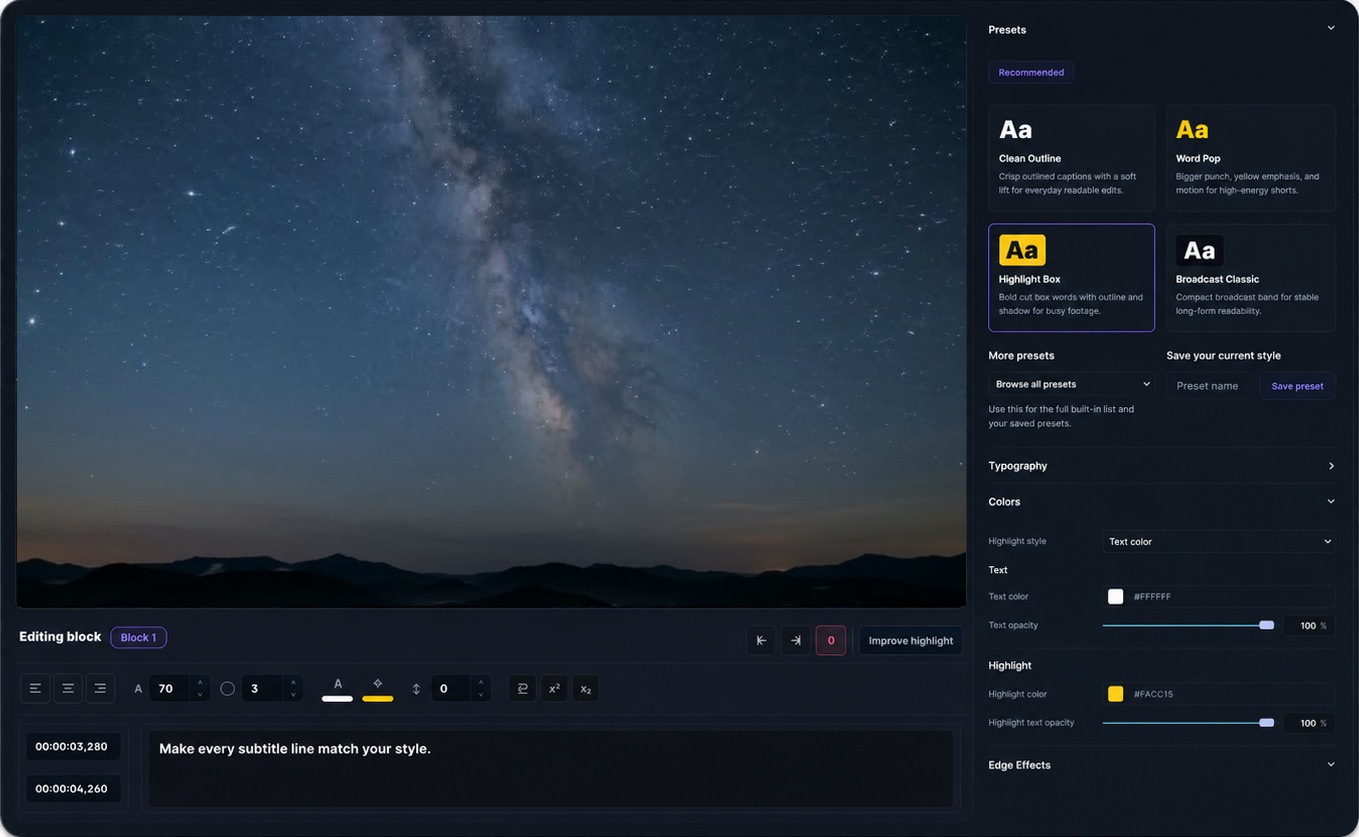
Make every subtitle line match your style.
Import subtitles
If your goal is to create subtitles from video, start here. If you already have a subtitle file, import the SRT or VTT into Captn to sync, style and export it with your video.
Add SRT to VideoWorkflow examples
Use these when you are starting from speech in a source video, then finishing subtitles before publishing.
Generate subtitles from the video, clean technical terms and timing, then export an SRT file or captioned MP4.
Generate captions from a recording, edit the transcript, then export VTT for a web player or a captioned replay video.
Generate captions from a clip, tighten line breaks and highlights, then burn captions into video for feeds.
FAQ
Short answers about generated subtitles, subtitle files, and captioned video exports.
Yes. Generate subtitles from the video, review the text and timing, then export an SRT file.
Yes. Use VTT when you need captions for web players, courses, or browser-based video pages.
Yes. You can fix words, line breaks, timing, highlights, and subtitle blocks before downloading files.
Yes. After review, export a captioned MP4 when subtitles need to stay visible everywhere.
Use the SRT import workflow to add an existing subtitle file to your video and clean it up.
Use SRT for broad upload support, VTT for web players, and MP4 when captions must be visible in the video.
Yes. Upload a screen recording, generate subtitles from the audio, then edit and export the result.

Start a project