Upload or record
Upload a video or record your screen directly inside Captn.
 Captn
Captn
ADD SUBTITLES TO VIDEO
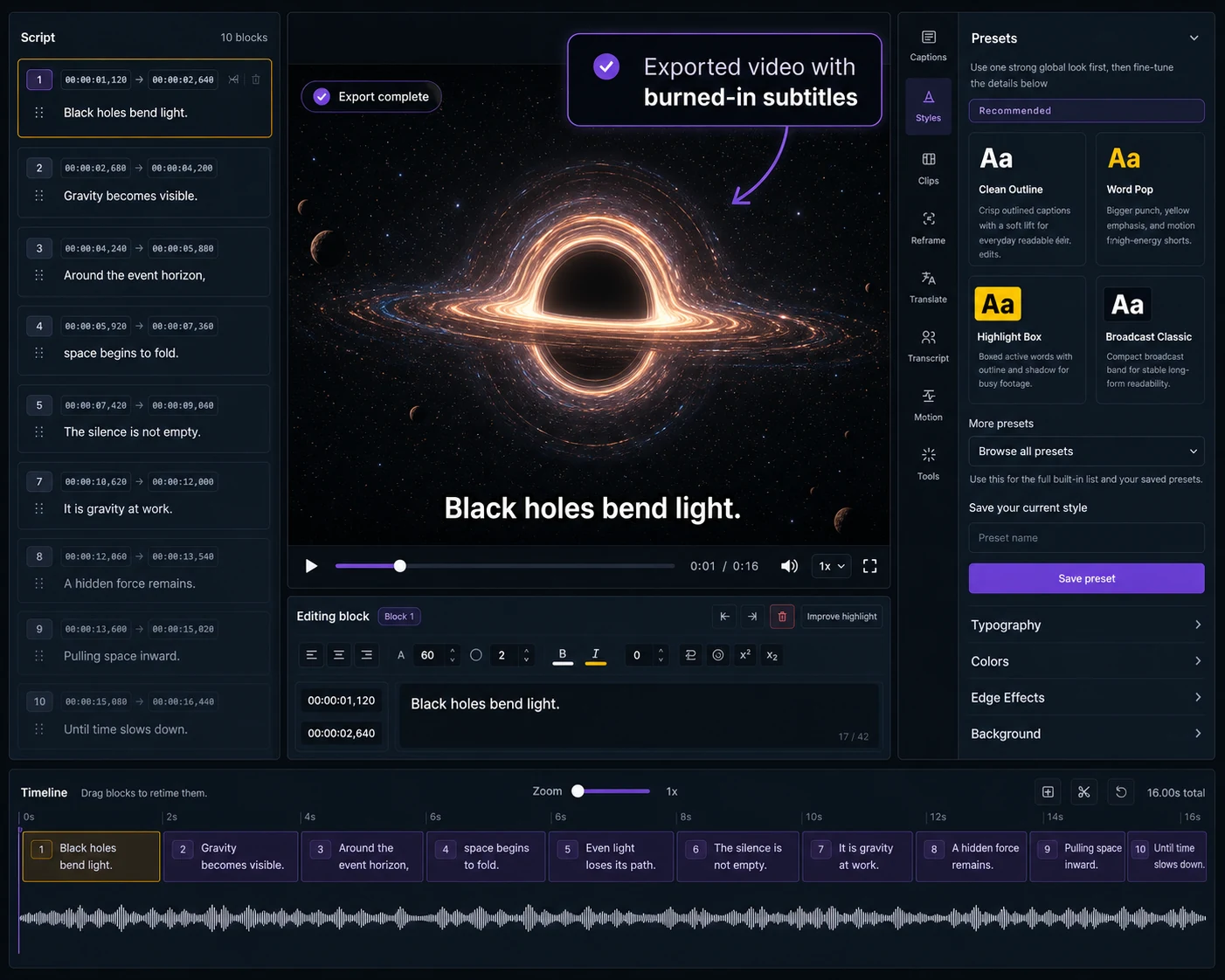
Start with a video, generate captions or import subtitles, fix the text and timing, choose a caption style and export a captioned MP4 or subtitle files.
How it works
Start with a video, create editable captions, then export a finished captioned video for publishing.
Upload a video or record your screen directly inside Captn.
Generate subtitles automatically or import an existing SRT or VTT file.
Fix words, adjust line breaks and sync subtitle timing.
Choose fonts, colors, outlines, backgrounds, placement and word highlights.
Export the finished captioned MP4, plus optional subtitle files if you need them.
Edit before export
Start with a video that has no captions, create subtitles, clean them up, choose a style and export the final captioned video.
Open the EditorCaptioned video export
For this workflow, the main output is a finished video with captions visible. Subtitle files are optional supporting exports.
Render styled subtitles directly into your video so they are always visible.
Download SRT or VTT files when a platform needs a separate caption track.
Caption styling
Your captions are part of the final video. Choose readable caption styles for tutorials, social clips, product demos, courses and client-facing exports.
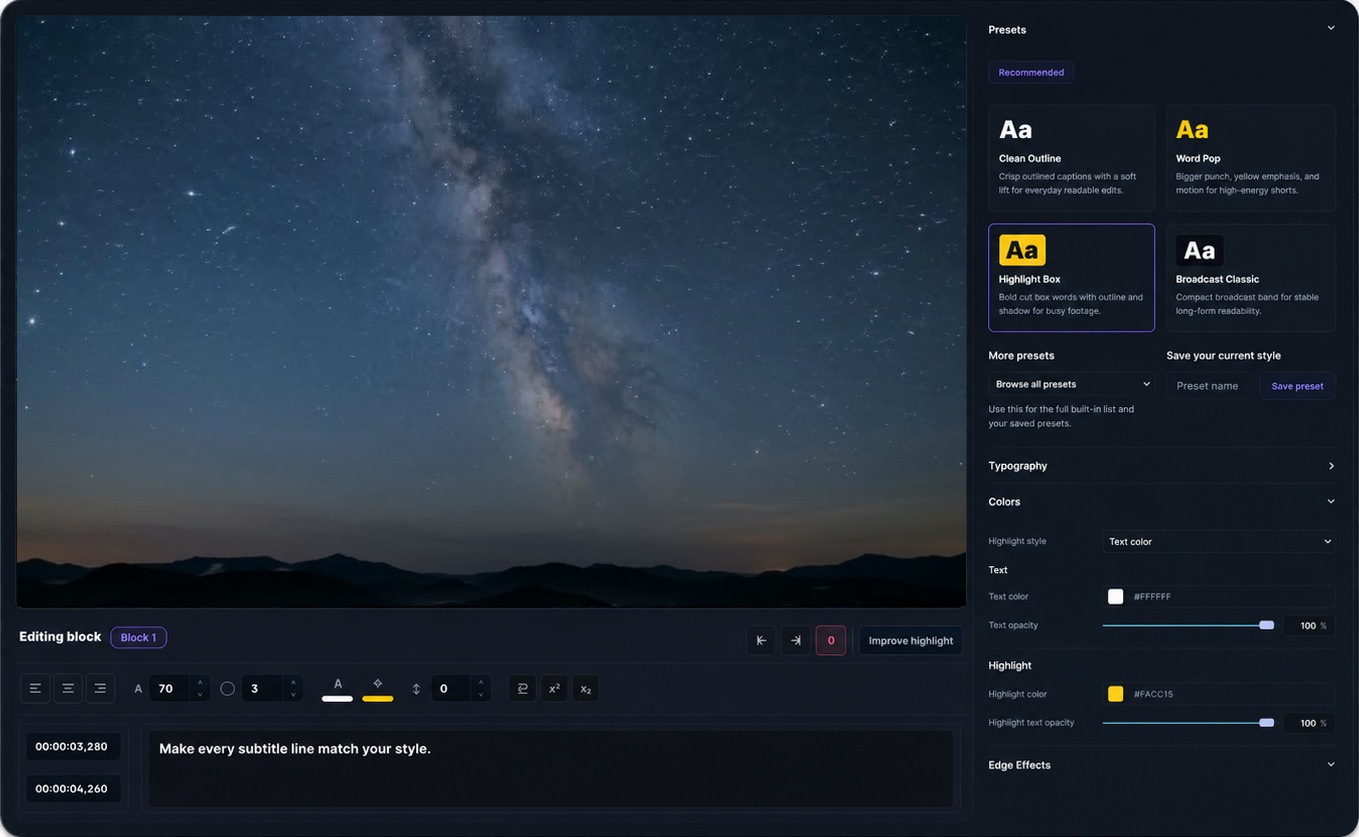
Make every subtitle line match your style.
Import subtitles
This page is for creating captions from scratch. If you already have an SRT or VTT file, use the import workflow to sync, style and export it with your video.
Add SRT to VideoUse cases
Use Captn when you want captions that are readable, editable, styled, and ready for the platform where the video will be published.
Add readable subtitles to long-form videos, then export a captioned MP4 or optional subtitle files for upload.
Create captioned short-form videos with bold subtitles that stay visible when viewers watch without sound.
Subtitle walkthroughs and demos so every step is readable in the final exported video.
Turn talking-head clips into captioned video assets that are easier to follow and share on feeds.
Publish lesson videos with readable captions and optional SRT or VTT files for learning platforms.
Clean up webinar captions and republish replays as subtitle-ready videos for attendees and follow-ups.
Add branded captions to client-facing demos and walkthroughs before exporting the final video.
FAQ
Quick answers about adding subtitles to video for free, editing captions, styling text, and exporting a captioned MP4.
Yes. You can start free, add captions to a video, edit and style them, and export the result. Free upload and export limits apply.
Yes. You can create captions, edit subtitle text, adjust timing, style the subtitles and preview them before exporting the final video.
Yes. Captn can export a captioned MP4 with subtitles rendered directly into the video, so captions stay visible wherever the file is uploaded.
Yes. You can import an existing SRT or VTT file, edit and style it, then export a captioned video or a cleaned subtitle file.
Yes. Captn supports fonts, colors, outlines, shadows, background boxes, placement, motion, and word-highlight styling.
Yes. This page focuses on captioned video export, but you can also download SRT and VTT subtitle files from the same project.
Captn is built around preview and export parity, so caption placement, wrapping, styling, and word highlights are designed to stay aligned.

Start a project